TruClaw — Biometric Guardrail for OpenClaw
Stop AI agents from executing dangerous actions without verified human authorization.
TruClaw integrates OpenClaw agents with the TruClaw iOS app to require biometric human verification for risky agent actions before they execute.
This allows developers and enterprises to safely run autonomous agents without risking unintended financial transactions, infrastructure changes, or other high-impact actions.
Demo
Short demo showing the flow:
- A harmless check positions command executes normally
- A sell order triggers an approval notification on the iPhone
- The trade executes only after biometric verification in the TruClaw app
The Problem
AI agents with tool access can execute real-world actions:
- financial trades
- infrastructure changes
- database operations
- sending emails or messages
Without guardrails, a hallucination, prompt injection, or tool misuse could trigger these actions automatically.
TruClaw adds a strong safety primitive:
High-risk agent actions require biometric authorization on a trusted mobile device, backed by hardware attestation from the Secure Enclave.
TruClaw vs Native OpenClaw Approval
OpenClaw /approve | TruClaw Biometric | |
|---|---|---|
| Authorization method | Text command in chat (/approve <id>) | Face ID on iPhone |
| Proof of human | None — any operator with channel access can approve | Secure Enclave-backed hardware attestation — cryptographically proves a live human authorized the action |
| Attestation | No hardware attestation | JWT signed by iPhone Secure Enclave — tamper-proof, device-bound, non-exportable |
| Out-of-band | Same channel as the agent | Separate trusted device |
| Spoofable | Yes — compromised chat account approves silently | No — requires physical device + live biometric |
| Audit trail | Chat message | Signed JWT with timestamp, liveness score, device ID |
| Enterprise compliance | ❌ No cryptographic proof | ✅ Hardware-attested human proof — maps to EU AI Act, NIST RMF, SOC2 |
| Setup | None | One-time enrollment with government-issued ID |
| Best for | Convenience approvals, low-risk actions | High-stakes actions, regulated environments, financial operations |
Why hardware attestation matters
When TruClaw authorizes an action, the approval is not just a message — it is a JWT signed by the iPhone's Secure Enclave. The Secure Enclave is a dedicated security processor that:
- generates and stores the signing key in hardware — the key never leaves the device
- binds the key to the specific iPhone — cannot be copied or exported
- requires a live biometric match to use the key
This means every TruClaw authorization produces cryptographic proof that:
- A specific enrolled human was physically present
- On a specific trusted device
- At a specific point in time
No chat account compromise, no prompt injection, no replay attack can forge this.
How It Works
- OpenClaw Agent detects a tool call
- TruClaw Plugin intercepts via
before_tool_callhook - Claude Haiku classifies the tool call as safe or dangerous
- If dangerous → TruClaw Relay (Cloudflare Worker) sends push notification via Firebase Messaging
- TruClaw iOS App receives the notification on your iPhone
- User completes Face ID biometric match
- iPhone Secure Enclave signs an authorization JWT — hardware-bound, tamper-proof
- Plugin polls the relay, receives and verifies the JWT
isAbove21=true→ action proceeds ✅ /isAbove21=false→ action blocked ❌
Prerequisites
- OpenClaw 3.28+
- Node.js 18+
- Anthropic API key
- TruClaw iOS app installed on iPhone
Installation
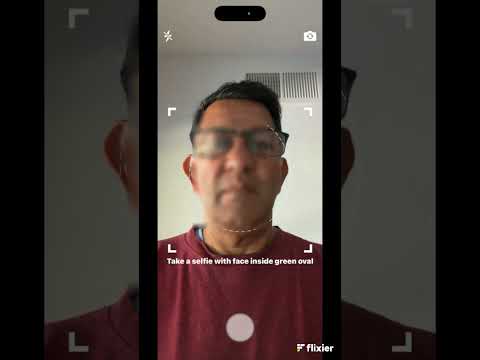
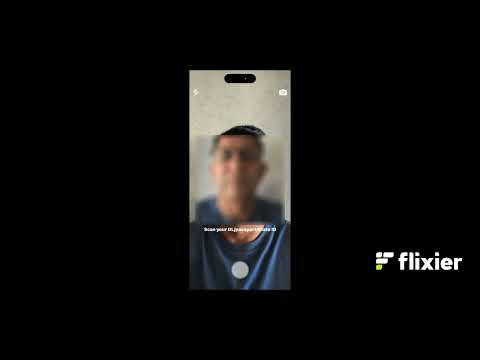
1. Install TruClaw iOS app and enroll
Search "TruClaw" on the App Store. Complete one-time enrollment:
- Take a selfie
- Scan your Driver's License or Passport
- Green badge = enrolled
2. Clone and build
git clone https://github.com/sanjaymk908/trukyc-openclaw.git
mv trukyc-openclaw truclaw
cd truclaw
npm install
npm run build
3. Add plugin to ~/.openclaw/openclaw.json
"plugins": {
  "load": {
    "paths": [
      "/path/to/truclaw"
    ]
  },
  "entries": {
    "truclaw": {
      "enabled": true,
      "config": {}
    }
  }
}
4. Add environment variables
"env": {
  "TRUKYC_RELAY_URL": "https://trukyc-relay.trusources.workers.dev",
  "ANTHROPIC_API_KEY_TRUKYC": "your-anthropic-api-key"
}
5. Restart OpenClaw
openclaw gateway stop && sleep 3 && openclaw gateway install && sleep 5
openclaw plugins list | grep truclaw
6. Pair your iPhone
Send this in any OpenClaw channel (iMessage, Slack, Telegram, etc.): /trukyc-pair
Tap the pairing link on your iPhone — the TruClaw app opens and confirms pairing automatically.
FAQ
❓ Why doesn’t /trukyc-pair work in Slack or Discord?
Short answer: Slash commands are platform-native features and are not handled by OpenClaw’s message routing layer in Slack/Discord (especially in Socket Mode).
In Slack and Discord:
/trukyc-pairis treated as a native slash command, not a normal message- These require separate platform-specific configuration (e.g. Request URL, interactions endpoint)
- OpenClaw’s standard channel integrations (including Socket Mode) do not automatically intercept slash commands
👉 As a result, this will NOT work:
Example Interaction
Safe action — no approval needed
with trader skill check positions
Risky action — biometric required
with trader skill buy NVDA at $165
Flow:
- Agent attempts trade
- TruClaw intercepts the tool call
- Push notification sent to iPhone
- User opens TruClaw and completes Face ID
- Secure Enclave signs authorization JWT
- Plugin verifies JWT → trade executes ✅
If the user ignores the notification — times out after 5 minutes → blocked ❌ If Face ID fails — blocked ❌
Danger Classification
TruClaw uses Claude Haiku to classify every tool call in real time.
Flagged as dangerous:
- Shell commands that write, delete, or modify (
rm,mv,cp) - Network requests that send data (
curl POST) - Installing software (
pip install,npm install) - Sending messages, emails, or executing financial actions
Always safe (no challenge):
- Read-only shell commands (
ls,cat,grep,find) - Querying data or answering questions
- Git read operations (
git status,git log,git diff) - Explicitly safe tools:
read,ls,list,session_status,memory_search
Security Properties
- Secure Enclave hardware attestation — every authorization is cryptographically signed by the iPhone's dedicated security processor
- Biometric binding — the signing key is device-bound and requires a live Face ID match to use
- Out-of-band approval — authorization happens on a separate trusted device, not the same channel as the agent
- Tamper-proof audit trail — signed JWTs with timestamp, device ID, and liveness score
- Prompt injection resistant — no chat-based command can forge a biometric authorization
- Enterprise compliance ready — hardware attestation maps to EU AI Act Article 14 (human oversight), NIST AI RMF, and SOC2 access control requirements
Privacy
- All face matching runs on-device using Apple's Vision framework
- No photos, selfies, or biometric data are stored or transmitted
- Only encrypted metadata (not images) stored in Secure Enclave
- Relay server stores only temporary session tokens (auto-deleted after 2 minutes)
License
MIT