@dj-shortcut

Facebook

OpenClaw Facebook channel plugin

当前版本
v2026.6.10
code-plugin社区source-linked

OpenClaw Facebook Plugin

Repo Fallow Maintainability Image Gen Fallow Maintainability

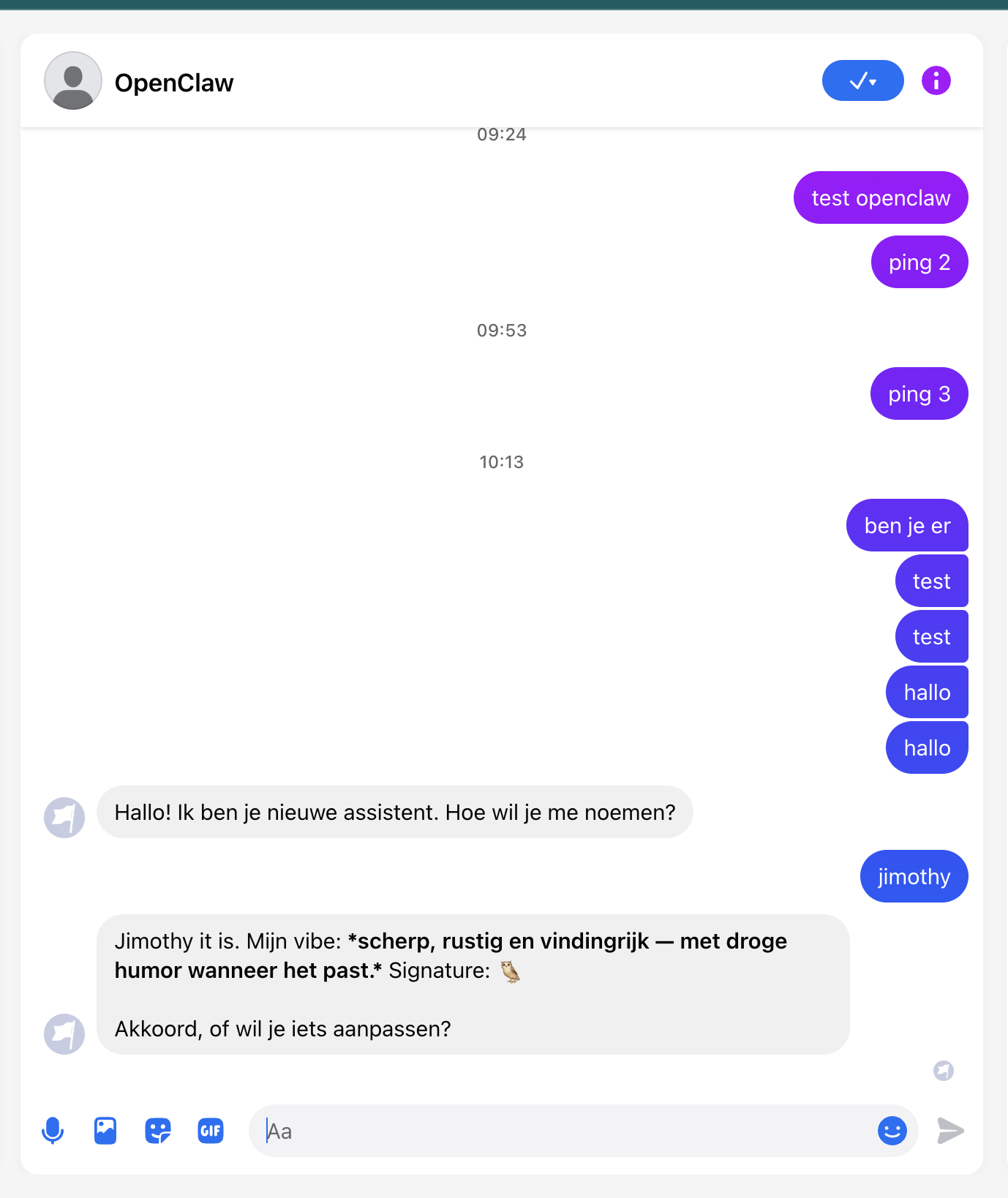
This plugin gives OpenClaw a Facebook Page inbox. After setup, people can send a direct message to your Facebook Page and OpenClaw can receive it, decide what to do, and reply through Messenger.

It is meant as a clear starting point for building on the Meta platform: connect a Meta app, a Facebook Page, and the Messenger product, then let OpenClaw handle Facebook Page Messenger DMs through Meta webhooks.

V1 is intentionally focused: Facebook Page Messenger direct messages only. It does not yet implement comments, Private Replies/comment-to-DM flows, Instagram DMs, broader Meta automation, or general OpenClaw attachment workflows. Inbound media attachments are handled only as supported Messenger payloads for DM ingestion, unless the optional Leaderbot bridge is explicitly enabled.

The plugin is called facebook because this is the Facebook/Meta integration surface. Legacy messenger, fb, and fbm aliases remain temporarily for existing installs only.

Install

Private phase:

openclaw plugins install <private-git-or-tarball-url>

ClawHub phase:

openclaw plugins install clawhub:@dj-shortcut/facebook

Public phase:

openclaw plugins install @dj-shortcut/facebook

Repository Layout

This repository is now the Leaderbot/OpenClaw monorepo. The Facebook/OpenClaw plugin still lives at the repository root so existing plugin packaging keeps working. The production image-generation service lives in apps/image-gen.

leaderbot.live is planned as a tenant/customer portal where customers manage their own AI. It should not expose the private OpenClaw gateway UI/API, and it should not become a marketing-only brochure site.

.
├── apps/image-gen              # Leaderbot image-generation web/service app
├── deploy/fly-gateway          # OpenClaw gateway Fly image
├── src                         # Facebook channel plugin runtime
└── docs                        # Shared operations and release docs

Deploy targets:

npm run gateway:deploy
npm run image-gen:deploy

Configure

Use channels.facebook for new installs:

{
  channels: {
    facebook: {
      enabled: true,
      pageId: "<FACEBOOK_PAGE_ID>",
      pageAccessToken: "<FACEBOOK_PAGE_ACCESS_TOKEN>",
      appSecret: "<FACEBOOK_APP_SECRET>",
      verifyToken: "<FACEBOOK_VERIFY_TOKEN>",
      dmPolicy: "pairing",
    },
  },
}

Default webhook:

https://<gateway-host>/facebook/webhook

Do not configure a second active messenger channel. Existing channels.messenger config and MESSENGER_* secrets remain temporary fallbacks, but new installs should use channels.facebook and FACEBOOK_*. The old /messenger/webhook path is not the new default; keep it only if an existing deployment explicitly configured that legacy webhookPath.

See docs/setup.md for the short setup tutorial, and docs/facebook-complete-tutorial.md for the full Meta-side guide covering the app, Page identity, permissions, review, Messenger rules, production checks, and troubleshooting. See docs/openclaw-update.md for the single supported OpenClaw update, rollback, runtime validation, and release workflow. See docs/clawhub.md for ClawHub release preparation. See docs/cost-control-plan.md for the recommended budget, usage-ledger, and payment boundaries for public Facebook assistants. See docs/x-twitter-companion.md only if the same OpenClaw assistant also needs X/Twitter search, monitors, webhooks, media workflows, follower export, giveaway draws, or approval-reviewed tweet posts. TweetClaw is a separate optional third-party plugin maintained outside this repository; it is not required for Facebook Page Messenger DMs.

Access model

Default setup uses dmPolicy: "pairing" so unknown Facebook users receive a pairing code before they can talk to the assistant. For a public Page bot, use dmPolicy: "open" with allowFrom: ["*"] to let anyone message the Page only after you have published privacy and data-retention terms for that public Messenger experience. For private installs, prefer pairing or allowlist.

Open means the conversation entry point is public; it should not grant unknown users privileged tools, private memory, files, git/deploy access, or admin actions. Use separate OpenClaw permissions/tool policy for that trusted core. Public users may send personal, financial, authentication, or business-sensitive information into Messenger. In open mode, those messages can be forwarded into your OpenClaw host, model provider, logs, memory, and any enabled tools according to your runtime configuration. Publish a privacy policy, disclose automated/AI handling where required, and decide what data is retained, deleted, or shared with third-party providers before enabling this for a public Page. For paid or public assistants, keep billing, credits, model selection, and tool budgets in the OpenClaw host runtime where provider calls execute.

Optional Leaderbot image-generation bridge

This package can optionally forward Messenger events and image-generation prompts to the separate Leaderbot image-generation service. That path can send Messenger event payloads, Page-scoped sender IDs, prompt text, and Messenger media URLs outside the OpenClaw host. It is disabled by default for ClawHub and private installs, even if LEADERBOT_IMAGE_GEN_INTERNAL_TOKEN or INTERNAL_IMAGE_REQUEST_TOKEN exists in the host environment.

Enable it only when the Page is intentionally using Leaderbot image generation and the Page's privacy/data-retention terms disclose that processing:

{
  channels: {
    facebook: {
      dmPolicy: "pairing",
      leaderbotBridgeEnabled: true,
      unknownSenderMode: "leaderbot_free_tier"
    }
  }
}

The bridge still requires a valid internal token and an HTTPS LEADERBOT_IMAGE_GEN_URL unless you are using localhost for development.

Conversation Actions

Assistant replies may include channel-neutral actions:

{
  "text": "What would you like to do next?",
  "actions": [
    { "id": "edit_image", "label": "Edit image", "inputText": "Edit image" },
    { "id": "new_image", "label": "New image", "inputText": "New image" }
  ]
}

The Facebook channel renders these actions as Messenger quick replies. When a person clicks one, the action id is decoded back into the next inbound message text, so the assistant receives it like normal user input instead of a Messenger-specific payload branch.

Local/private install validation

This plugin does not need to be published to npm before it can be installed privately:

npm run build
npm test
npm run pack:dry
npm pack
openclaw plugins install ./dj-shortcut-facebook-*.tgz
openclaw channels list

Expected channel listing: Facebook. There should be no separate Messenger channel.

Development

Use Node.js >=24.15.0, matching the package runtime contract, before installing dependencies.

npm install
npm run build
npm test
npm run pack:dry
npm run openclaw:validate

Run Fallow from the repository root when you want a repo-wide dead-code and maintainability pass:

npm run fallow:report
npm run fallow:report:production

The primary maintainability badge at the top of this README is generated from the full-repo .fallow/report.json and published to public/badges/fallow-maintainability.json. The image-generation app badge is a secondary app-level signal from apps/image-gen/.fallow/report.json; it can stay green while repo-wide health declines in other packages, root plugin code, or unsupported/static-analysis entrypoints.

Badge JSON is refreshed only by the Fallow workflow on scheduled or manual runs against main. Pull requests generate reports for review, but they do not write badge changes.

Do not commit real Page tokens, app secrets, verify tokens, PSIDs, or live deployment config.

源码与版本

源码仓库

Dj-Shortcut/openclaw-facebook

打开仓库

源码提交

3f1d2edccf23fb55730e09fc679f0e8b784964e6

查看提交

安装命令

openclaw plugins install clawhub:@dj-shortcut/facebook

元数据

  • 包名: @dj-shortcut/facebook
  • 创建时间: 2026/05/14
  • 更新时间: 2026/06/30
  • 执行代码:
  • 源码标签: codex/fix-clawhub-validation

兼容性

  • 构建于 OpenClaw: 2026.6.10
  • 插件 API 范围: >=2026.6.10
  • 标签: latest
  • 文件数: 85